
Introduction
Docker containers and Linux are here to cut costs and simplify things (or so we told). So you want to try out and move your workloads to running SQL Server on it? After all, Microsoft is most likely running its AzureSQLDB/Azure SQL MI on Linux, so what’s suitable for Azure should be good for on-prem as well, right?
Not so fast. Unless you are Microsoft and have full control of SQL Server and OS bits, your SQL Server docker image from Microsoft would not be fully compatible with your SQL Server on Windows (read = no 100% feature parity). Hopefully, you only testing it and not using it in production, so you still have time to figure out things that are missing and plan accordingly. To make things a little bit more annoying, Microsoft forgot to add a user-friendly “unsupported” message in its code.
This blog post is going to confirm some of the missing features as well as offer potential walkarounds.
Problem
Based on official documentation from Microsoft, even the latest and greatest SQL Server 2022 CU 7 (Fig #1) has the following limitations (see Fig #2).


We are going to cover the following missing features and provide potential walkarounds.
- Power Shell
- SQL Server Agent alerts are
- Windows Authentication
- DBCC CHECKDB
- master.sys.dm_server_services
Power Shell
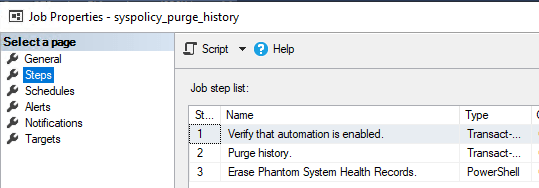
One of the SQL Server Agent jobs that you have never heard of / knew about will suddenly start to fail. That job is syspolicy_purge_history job and it’s installed by SQL Server (see Fig #3).
Apparently, Microsoft is using a PowerShell in step #3 (Erase Phantom System Health Records – see Fig #4 and Fig #5) and since a Power Shell sub-system is not installed, the job will fail screaming.

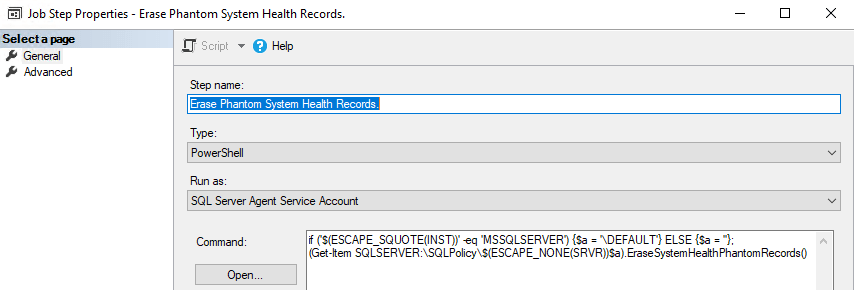
Needless to say, this is not the most elegant solution to notify of missing features. At the very least, Microsoft image for Linux should not create that job, a job that is destined to fail.
Some insult to an injury. Once SQL Server runs that job once, it’s not only going to fail, but it will also suspend (Fig #6) the job making it completely unusable, so you would need to recreate it.

SQL Server Agent Notification
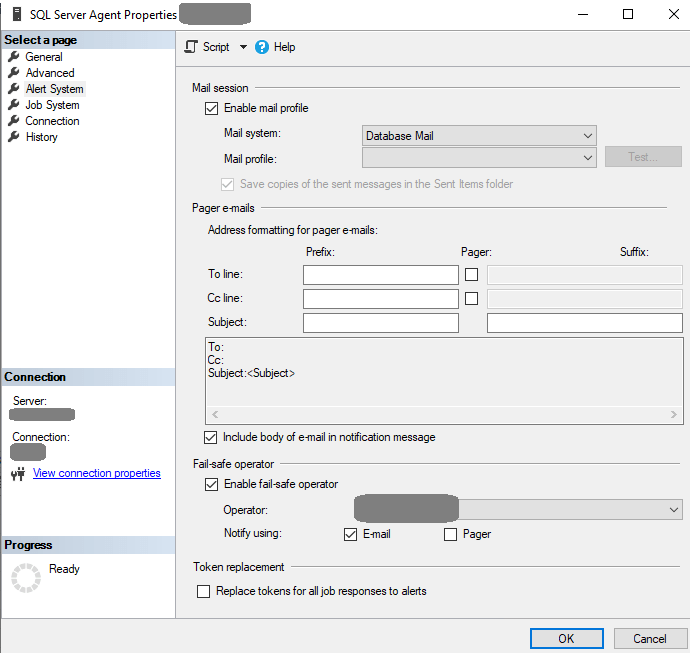
While both Database Mail and Agent operators are fully functional, configuring SQL Server Agent Mail session is not working. This piece is needed to make Agent Job notifications work.
Adding a Database Mail profile using SSMS (see Fig #7) would lead to an error (Fig #8).

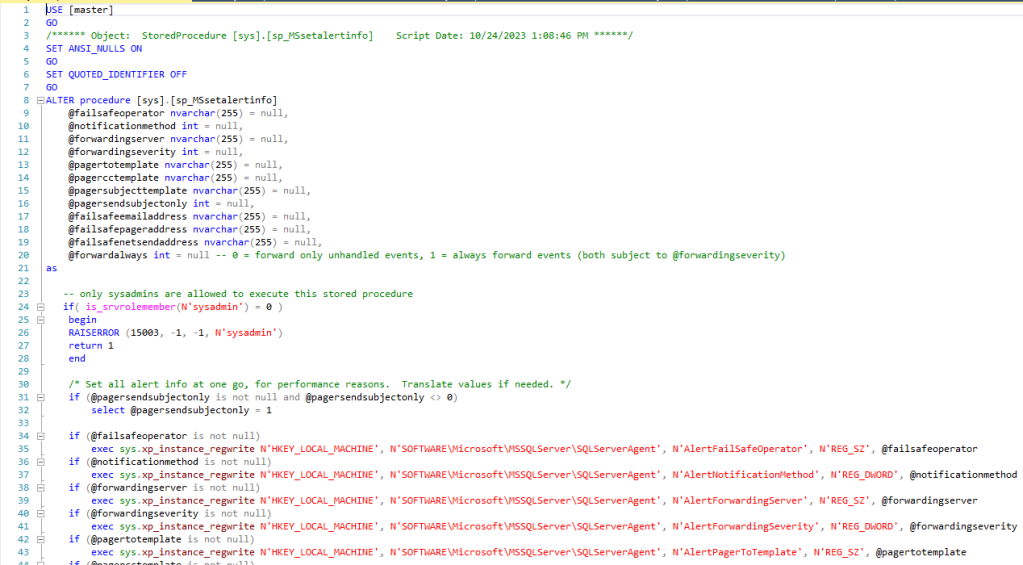
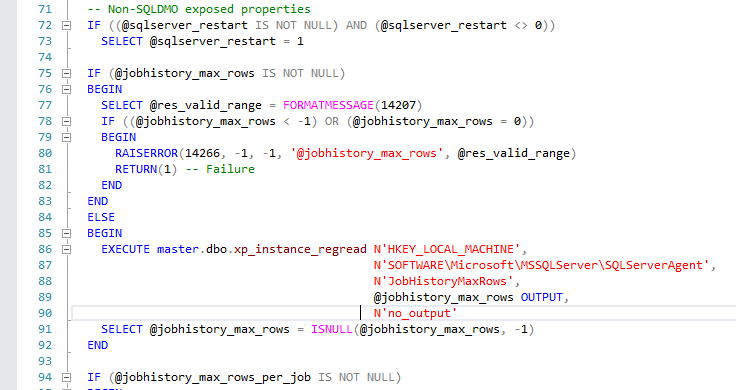
The whole thing is purely embarrassing as Microsoft didn’t even bother to check the OS host (see Fig #9) and has a code that still calls stored procedures that check the Windows registry (see Fig #10).

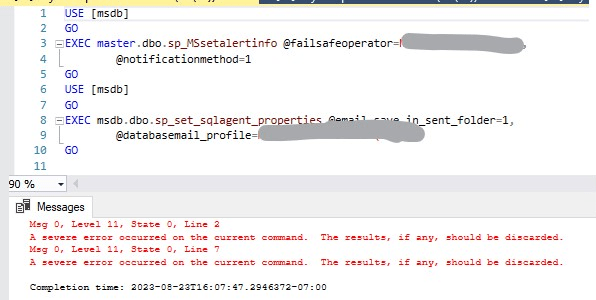
Yes, it’s SQL Server 2022 on Linux and yes, 2 of the system procedures are attempting to read from Windows registry (Fig #11 and Fig #12).
DBCC CHECKDB
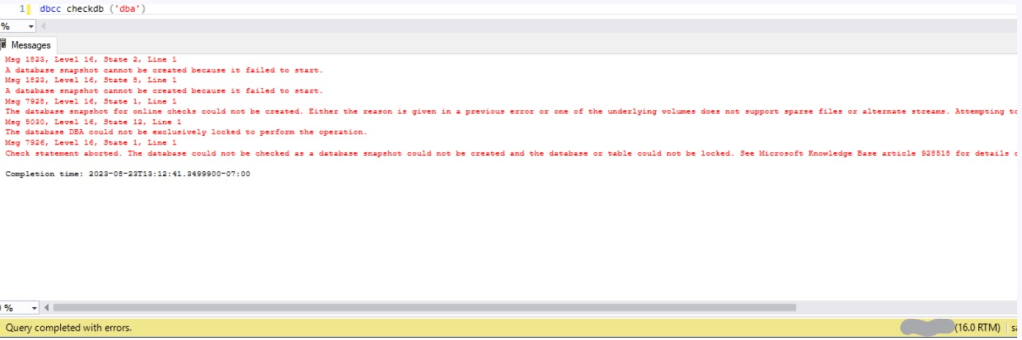
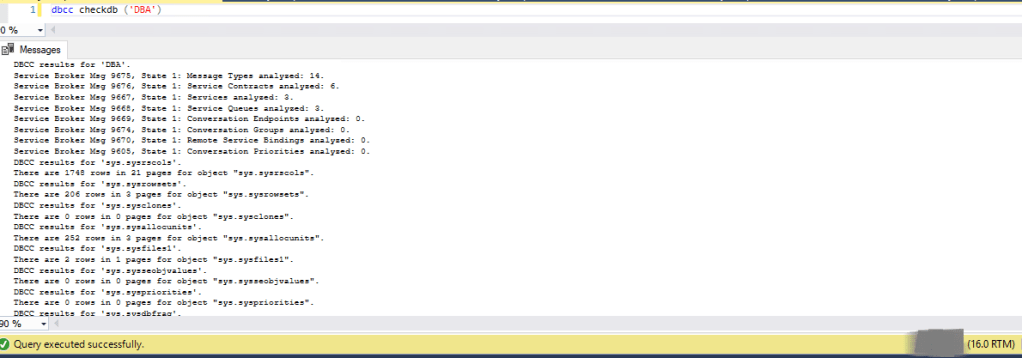
DBCC CHECKDB might fail. It might fail even if you are running a DBCC CHECKDB on a newly created and empty database. No data should limit any chances of database corruption, right?
Apparently, SQL Server DBCC (database consistency command) is making a hidden database snapshot (while using a file system) to keep it consistent and Linux NFS mount might not like it rejecting that snapshot (Fig #13).
master.sys.dm_server_services dynamic management view (“dmv”)
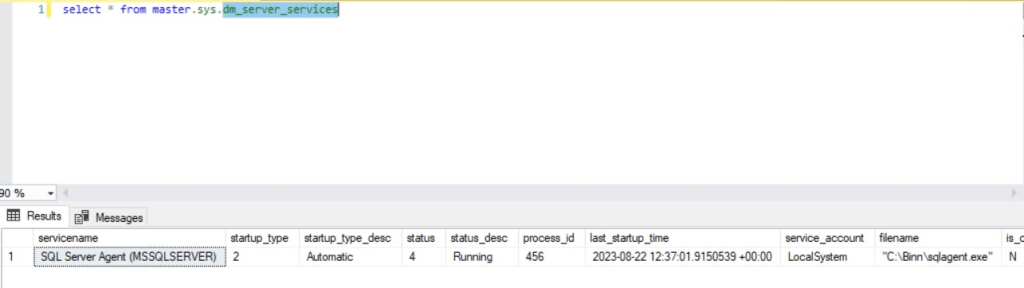
Normally, the dmv above would list all major SQL Server-related Windows services, such as Engine and Agent, and Full-Text if installed and running. This DMV on Linux/Ubuntu only lists the Agent (see Fig #12). Yep, you heard it right, Agent service running without the Engine service. The same Agent service that gets most if not all of its data from msdb database that powered by the Engine service.
Windows Authentication
Trying to change to Mixed Authentication or even force Windows-only Authentication is not an option (see Fig #13).

Solutions (some solutions to be exact)
Power Shell – the quickest solution is just to skip that failing Power Shell 3rd step (see Fig #14).

SQL Server Agent Notification – add an extra step as a last step
The solution in progress – add the last step to check on job status and run sp_notify_operator if the job fails.
Windows Authentication – no solution other than to keep using a less secured SQL Server authentication and hope for the best
DBCC CHECKDB – fixing the env file
The solution here is fairly simple. To undo failing DBCC CHECKDB, you need to update your variables.env file to version 4.2 or higher.
Existing example: VOLUME_HOST=addr=1.1.1.1,nolock,soft,rw,vers=4.0
Required: VOLUME_HOST=addr=1.1.1.1,nolock,soft,rw,vers=4.2
Once a higher version is there, DBCC CHECKDB will work again.
master.sys.dm_server_services – no solution here. hopefully, you don’t need to use it
DISCLAIMER
This blog post would not be possible without Andrew Pruski (Field Solution Architect at Pure Storage) and responses received from the following forum – https://www.sqlservercentral.com/forums/topic/having-problems-with-sql-server-2022-cu5-docker-ubuntu-image-is-it-ready.
 DataSteve