
Introduction
Keeping your SQL Server up-to-date on Microsoft patches and CU is critical to keep your system secured, performant, and stable. If you don’t want to be on the bleeding edge of technology, you want to stay in control of what and when gets updated.
This is possible if you have DEV and PROD environments, and you can sacrifice DEV stability to prevent problems in PROD. You download and patch CU on DEV, let it stay there for a month or two, and then decide if performance or problems in DEV can proceed via patch to your PROD. The following blog post will cover how to do it without using Windows Update or WSUS. Effectively, we will be using PowerShell and DBAtools as an alternative to WSUS for SQL Server.
Problem
If you can’t use Windows Update or WSUS, you have to come up with your own custom solution. You can visit the Microsoft website or even subscribe to https://sqlserverbuilds.blogspot.com, or you can have your own solution to not only know about the new, but also to download it as well.
Solution
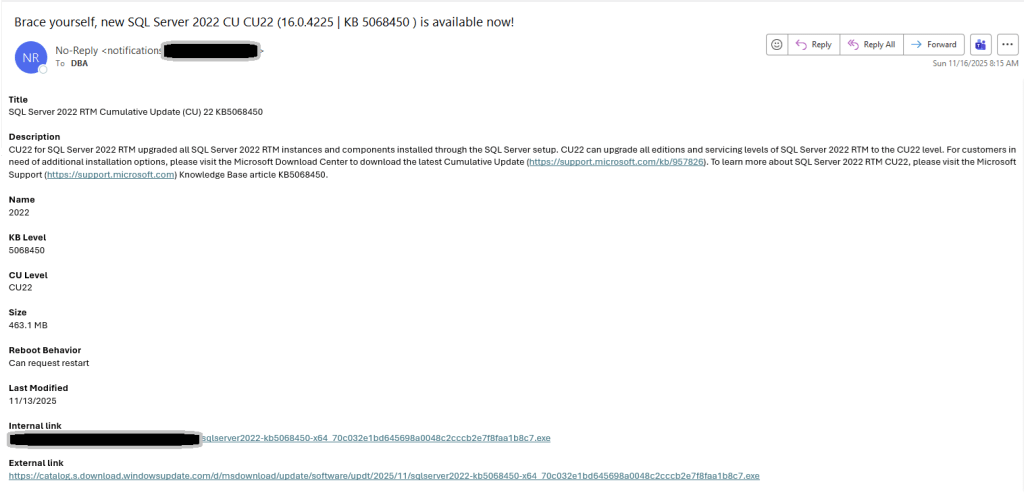
The following solution adds a daily job that runs PowerShell code using DBAtools to download the latest available CU (if none is available) and sends an email notification.
In a nutshell, this solution is using:
- Test-DbaBuild DBATools cmdlet to get the information on the latest CU, build target from the Microsoft website
- Get-DbaBuild cmdlet to get the latest KB level from the Microsoft website
- Get-DbaKbUpdate to get a link to download from the KB level
- Invoke-WebRequest to download CU executable (unfortunately, a faster Start-BitsTransfer option would not work here)
- Send-MailMessage to send an email
Take the following PS code from GitHub and save it here C:\PowerShell\sql-server-2022-download-latest-cu.ps1
https://github.com/steverezhener/DBA/blob/master/PowerShell/sql-server-2022-download-latest-cu.ps1
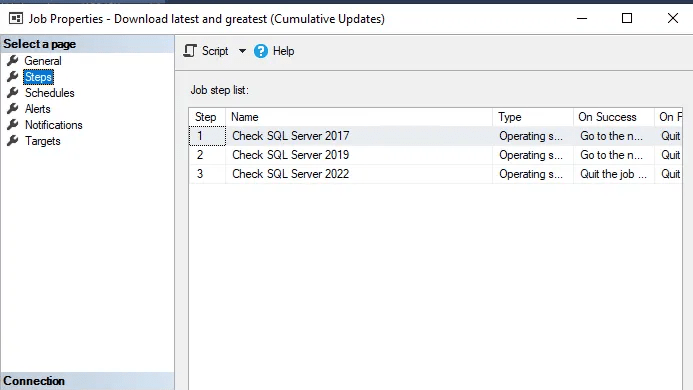
Here is T-SQL code to create a daily job that calls the PowerShell/DBAtools code.
https://github.com/steverezhener/DBA/blob/master/Jobs/_Maintenance_700_Download_Latest_CU.sql
Here is what the final product would look like
The job
Email notification
 DataSteve