
Introduction
By default, data and log files are initialized to overwrite any existing data left on the disk from previously deleted files. Data and log files are first initialized by zeroing the files (filling with zeros) when you perform the following operations:
- Create a database.
- Add data or log files, to an existing database.
- Increase the size of an existing file (including autogrow operations).
- Restore a database or filegroup.
In SQL Server, instant file initialization allows for faster execution of the previously mentioned file operations, since it reclaims used disk space without filling that space with zeros. Instead, disk content is overwritten as new data is written to the files.
Problem
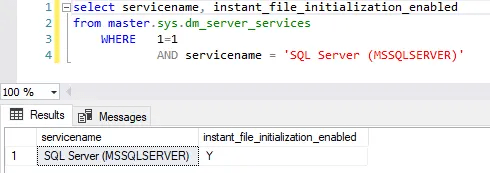
Check if Instant File Initialization (aka “IFI”) is enabled
Solution
https://github.com/steverezhener/DBA/blob/master/Procedures/bestpractices.usp_check_server_ifi.sql
Example
 DataSteve