
Problem
Apply best practices for new databases
Solution
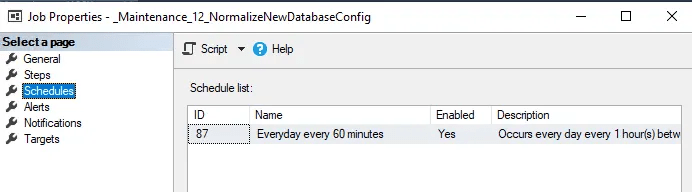
Regular Schedule: Every 60 minutes
Solution: Native T-SQL
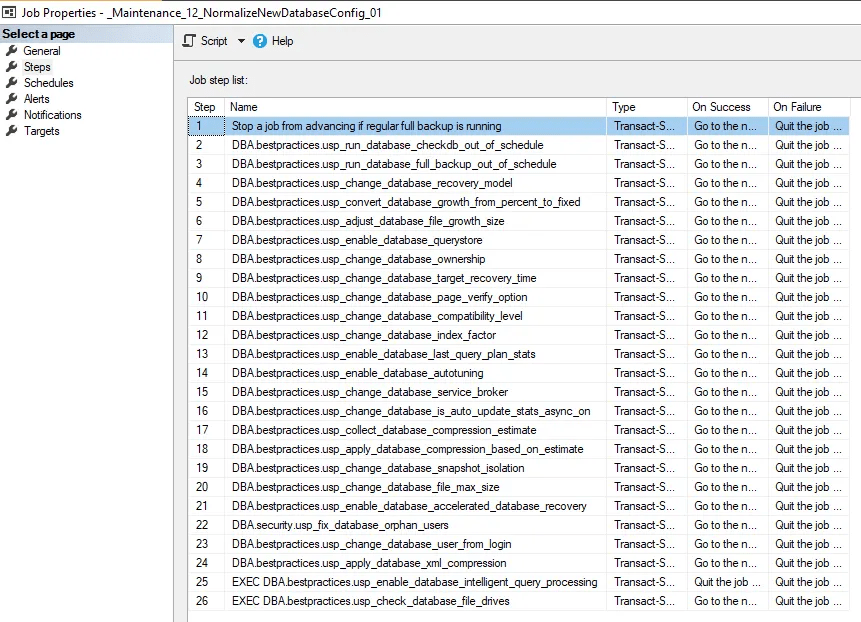
- Run CheckDB before schedule
- Run Full backup before schedule
- Change database recovery model to full
- Change database file growth percent to fixed
- Change database file growth size
- Enable database QueryStore (QS)
- Change database ownership
- Change database target recovery time
- Change database page verify option
- Change database compatibility level
- Change database index fill factor
- Enable database last query plan stats
- Enable database autotuning
- Change database service broker
- Change database auto update stats async on
- Collect Database Data/Page Compression Estimate
- Apply database data/page compression
- Enable database read committed snapshot isolation (RCSI)
- Change database file max size
- Enable Accelerated Database Recovery (ADR)
- Fix orphan users
- Change database user from login
- Apply database XML compression
- Check database files on the same drive
- Enable database Intelligent Query Processing (aka “IQP”)
- Disable Database Auto Shrink
- Disable Database Auto Close
- Enable Database ANSI_NULLs
- Enable Database ANSI_PADDING
 DataSteve